|
Home >
Awards

• Free
MP3 WMA OGG Converter™

|
|
|
|
Editor's review:
Free Mp3/Wma/Ogg Converter developed by CyberPower
Software, is an excellent example of how to create
comprehensive and functional software. It has a
wide range of features and some of the best format
compatibility of any audio converter software. As
the overall easiest audio converter, Free Mp3/Wma/Ogg
Converter earns its solid ranking in our list.

|
|
|
|
|
|
Editor's review:
Free Mp3/Wma/Ogg Converter really impressed us with
its features & compatibility. With top marks
in many categories, CyberPower definitely gives
you the most functionality for your money - this
one even provides that for free.
|
|
|
|
|
|
|
software cocktail
Editor's Pick
|
Editor's review:
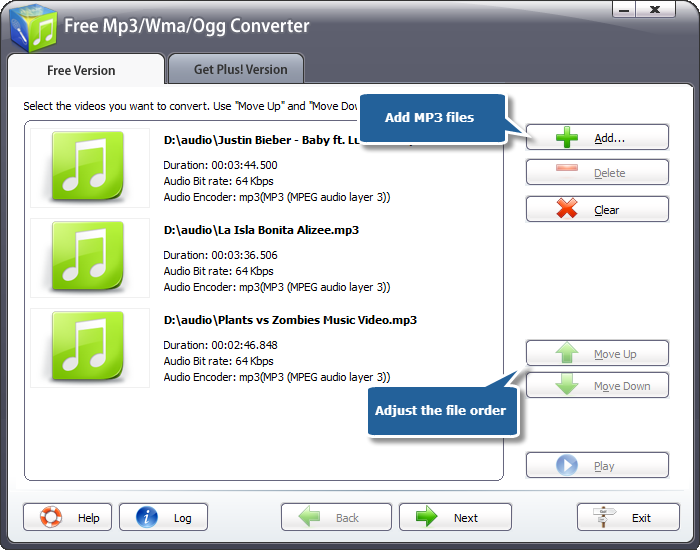
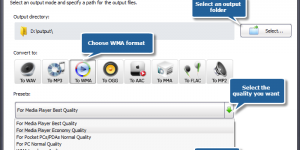
Free Mp3/Wma/Ogg Converter converts the most important
formats, like MP3, WMA, WAV and AAC, along with
several others. It also has some useful extras.
Our favorite is the ability to extract audio information
from video files. This is very useful if you have
a song or audio clip that you want to use in a movie
or music video because you can extract it and convert
it to a compatible format.
|
|
|
|
|
|
Editor's review:
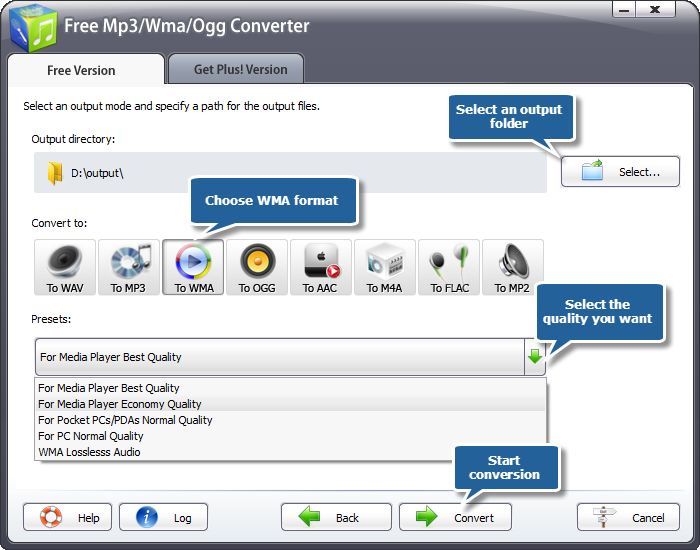
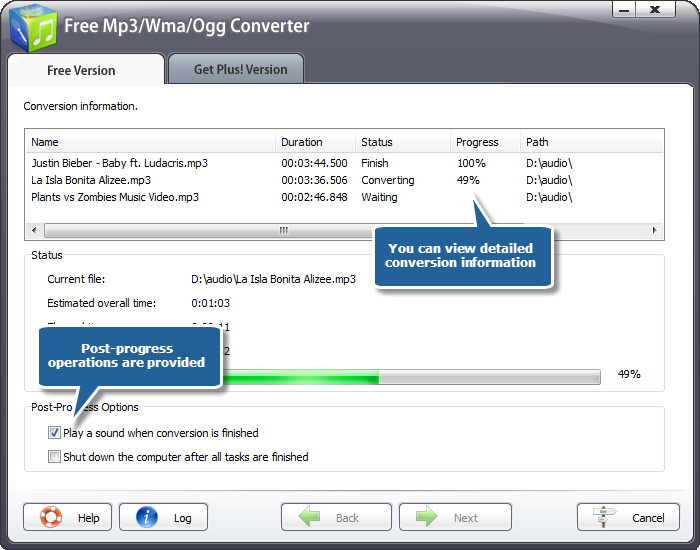
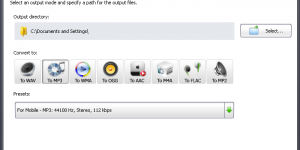
Free Mp3/Wma/Ogg Converter is able to handle many
different audio formats and has the largest selection
of output formats of any program we reviewed. This
makes it useful for many different situations and
music players. The output quality can be adjusted
through some popular presets, which may meet some
certain needs.
|
|

• CyberPower
Audio Editing Lab™

|
|
|
|
Editor's review:
CyberPower Audio Editing Lab is audio editing software
that's quickly making improvements to allow
its ratings to climb even higher. We thought it
was a solid program that got the job done, and it
has the extra features and options in its current
version to have real staying power. You're going
to enjoy using this audio editing software.
|
|
|
|
|

|
Editor's review:
CyberPower Audio Editing Lab gives many audio effects,
filters and the unique noise reduction features
for audio enhancement. Once you're done editing
your masterpiece, you can use the program's
imbedded burning feature to put it on a CD. This
option only works for audio files though. Luckily,
it's good enough of a feature to be in its own
program.
|
|
|
|
|
|
|
Freetrialsoft - Editor's
Choice
|
Editor's review:
It is serviceable audio editing software that's
on its way to doing big things. We enjoyed our time
using it and testing out its features. The results
of our creations were high quality and the program
made it easy to produce a finished product. We would
recommend this product if you want a stripped down
version of its more prestigious counterparts. CyberPower
Audio Editing Lab isn't deficient by any means.
|
|
|
|
|
|
|
FamousWhy.com - Famous
Software
|
Editor's review:
The interface is super simple and effective. It
makes for great editing in only a few minutes. The
tools are along the top menu bar and are easily
distinguishable. This audio editing software comes
with a rare feature that the others did not have.
It can convert text to speech. This would allow
you to create documentaries, instructions or any
other task that may require speech.
|
|

• CyberPower
Video Switch™

|
|
|

|
|
Brothersoft - Editor's
Pick
|
Editor's review:
This video conversion software supports quite as
many output methods that it does input methods.
It also supports many coding options for these file
types, for example in terms of MP4 is supports version
that are compatible with the iPod, PSP, iPhone,
Xbox 360 and PlayStation 3. In addition, AVI encoding
options include 29 options - that is quite many.
|
|
|
|
|
|
|
ComputerBuyer - Editor's
Review
|
Editor's review:
While we recommend other more functional programs
for the purpose of converting videos, that doesn't
mean you should discount this one before you try
it. We encounter no difficulty while testing the
software. Although some others have fancier features,
CyberPower Video Switch gives the user easy control
over their output videos including the ability to
batch convert.
|
|
|
|
|

|
|
DownloadPipe - 5 Stars
Rating
|
Editor's review:
Everything is clearly labeled and easily accessible.
We didn't have any problem understanding the
process and were able to jump right into converting
video files. One special thing about this product
is its ability to convert files ripped from home
movie DVDs and minidisks.
|
|
|
|
|

|
Editor's review:
CyberPower Video Switch takes the frustration out
of having incompatible file formats by giving you
the power to convert them. It also takes the hassle
out of file conversion by making it easy, practical
and affordable. Combine reliable performance with
flexible options and professional results and you
have CyberPower Video Switch, one of the best video
converter software applications. We'd like to
see more of the uncommon file formats supported.
|
|

• CyberPower
Disc Creator™

|
|
|

|
|
DownloadPipe - 5 Stars
Rating
|
Editor's review:
For ripping audio CDs, burning CDs and DVDs, and
managing ISO images. The latest update focuses on
back-end changes that should improve the audio quality
and make the program faster. A well-organized interface
displays all of the major features and settings.
CyberPower Disc Creator is easy to learn, quick
to use, and loaded with features. It stands tall
among the teeming mass of CD-ripping/music-conversion
apps.
|
|
|
|
|

|
|
GearDownload.com -
Editor's Choice
|
Editor's review:
The wizard-based interface of CyberPower Disc Creator
is handy for managing CD/DVD and ISO images. The
functionality of the application, which should satisfy
all users, justifies its price.
|
|
|
|
|

|
Editor's review:
CyberPower Disc Creator also features events logs,
device and image property displays. The UI is nothing
to sneeze at, either, with a nav that naturally
emulates the file explorer. It is the premier choice
for power users, but is easy enough to learn for
beginners.
|
|
|
|
|

|
Editor's review:
A fully stocked and solidly designed burning application
such as CyberPower Disc Creator should be a must-have
for any computer user. It boasts a polished, well-designed
interface, an impressive feature set as well as
adequate disc burning speeds. The program's
standard features include the ability to burn and
erase CD/DVD discs, create/burn/rip ISO files, and
create audio, video, and data discs.
|
|

• Audio
Extractor For Free™

|
|
|

|
|
BestFreeware - 5 Stars
Rating
|
Editor's review:
With Audio Extractor for Free allows to set the
start and end time of the video sound that needs
to be extracted. We like that you can choose your
favorite settings once, and then forget about them.
Extraction is easy (just hit the Start button),
and file conversion is nearly instantaneous.
|
|
|
|
|

|
|
Softonic rating -
Outstanding
|
Editor's review:
Though sound extractor software is usually a program
aimed at advanced users, but Audio Extractor for
Free's interface is easy to use by anyone. The
main window contains several large buttons, well
disposed, which help you manage your files easily.
The Add Task, Remove or Clear buttons can be easily
used and you can quickly understand their functions.
Everyone, be they beginners or tech-savvy, should
have this program installed on their computers precisely
because it's easy to use.
|
|
|
|
|

|
|
DownloadAtoZ - 5 Stars
Rating
|
Editor's review:
One special feature of Audio Extractor for Free
is its batch conversion ability in a very user friendly
interface. It is especially suited for those people
who want to save a lot of files and have space constraints.
You can reduce memory usage by converting the files
from video to audio. Its simple interface helps
a lot when it comes to working around its features.
Use it and enjoy it.
|
|
|
|
|

|
Editor's review:
Ideal for those in the profession or have the hobby
of creating or mixing audio and video files or collecting
video files and use the sound segments from them
in other applications. Using this application you
can not only extract the sound file from a full
video of long size, but also cut out the small pieces
of track as per your requirement. You can also have
a look at the video while extracting the sound file
from it. This gives you the option of selecting
the starting and ending point of extraction from
the video.
|
|

• Audio
Convert Merge Free™

|
|
|

|
Editor's review:
As an audio file joiner, Audio Convert Merge Free
works fine with most popular sound types. The capability
to join audio files of different formats into one
file brings a lot of convenience to the music collectors
who get their music from various resources.
|
|
|
|
|

|
|
BestFreeware - 5 Stars
Rating
|
Editor's review:
It supports 4 most popular MP4, WMA, WAV & OGG
- not many but quite enough for home recording.
What surprises us most is the quality setting. For
users who have less recording experience, presets
could be a good start to fit the need; for those
who familiar with sound recording, the manual numeric
adjustment will get audio processed precisely.
|
|
|
|
|

|
|
Freetrialsoft - Editor's
Choice
|
Editor's review:
We like your style of getting everything done at
the start up window. Also, the color of the interface
is comfortable.
|
|
|
|
|

|
|
DownloadAtoZ - 5 Stars
Rating
|
Editor's review:
To get such an easy tool in PC could be handy, let
alone the free cost. It's nice of the developers
to combines the converting and joining abilities
together and users could check the two options to
switch the mode.
|
|


Related Pages
Download |
Online Store
| Product
FAQ |
Order
FAQ | Customer
Service |
Customer
FAQ
|